A C++/Qt6 code editor with QScintilla syntax highlighting and embedded terminal.
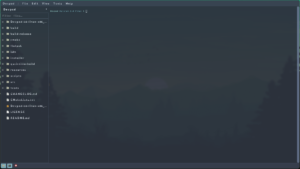
Please see System Requirements
View License


Features
Multi-tab editor with QScintilla (syntax highlighting, code folding, brace matching, auto-indentation)
Syntax highlighting for: C/C++, C#, Java, Python, JavaScript, HTML, CSS, XML, SQL, Bash, CMake, Markdown
LSP integration: go-to-definition, type definition, declaration, find references, rename, hover, code actions, completion, signature help, document highlights, selection ranges, linked editing, call hierarchy, semantic tokens, formatting
Diagnostics panel: error/warning/info markers in gutter and inline squiggle underlines
Inline find bar with case-sensitive, whole-word, regex matching and replace
Find in Files with results list and one-click navigation
Auto-completion with language keywords and LSP-powered completions
Auto-close brackets and quotes
Snippet expansion with tab-stop navigation and predictive auto-completion
Bookmark lines per tab
Toggle line/block comments
Embedded terminal panel (QTermWidget/KodoTerm) — docked or as a tab
Project panel with file tree, file type icons, filter/search, recent folders, rename/new folder context menu
Split view with drag-and-drop tab reordering across panes
Multi-pane tab management
Drag-and-drop file opening
External file change detection with reload prompt
Auto-save with backup and recovery prompt
Session management (restore tabs and project folder on next launch)
Encoding support (UTF-8/16/32, ISO-8859-1, System) with BOM detection and reopen/save with encoding
Print and Print Preview with full syntax highlighting
Remote file download via HTTP/HTTPS
External tools integration with configurable commands and shortcuts
17 built-in themes: Light, Dark, System, Nord, Solarized Light, Monokai, Gruvbox Dark, Catppuccin (Mocha, Macchiato, Frappé, Latte), Tokyo Night, Tokyo Night Storm, Dracula, One Dark, Ayu Light, Ayu Dark
Custom user themes from ~/.config/devpad/themes/*.json
Zoom in/out/reset, fullscreen mode (F11)
Read-only mode toggle per tab
Word wrap, whitespace visibility, scroll past end, vertical edge marker
Configurable tab bar position, close button side, tab display mode
Status bar with line/column, file type, encoding selector
Configurable UI font separate from editor font
Recent files list, recent folders list
Command-line: open files and folders by passing paths as arguments (--transfer for single-instance)
Internationalization: German, Spanish, French translations
Easter egg: click the Devpad icon in the About dialog